
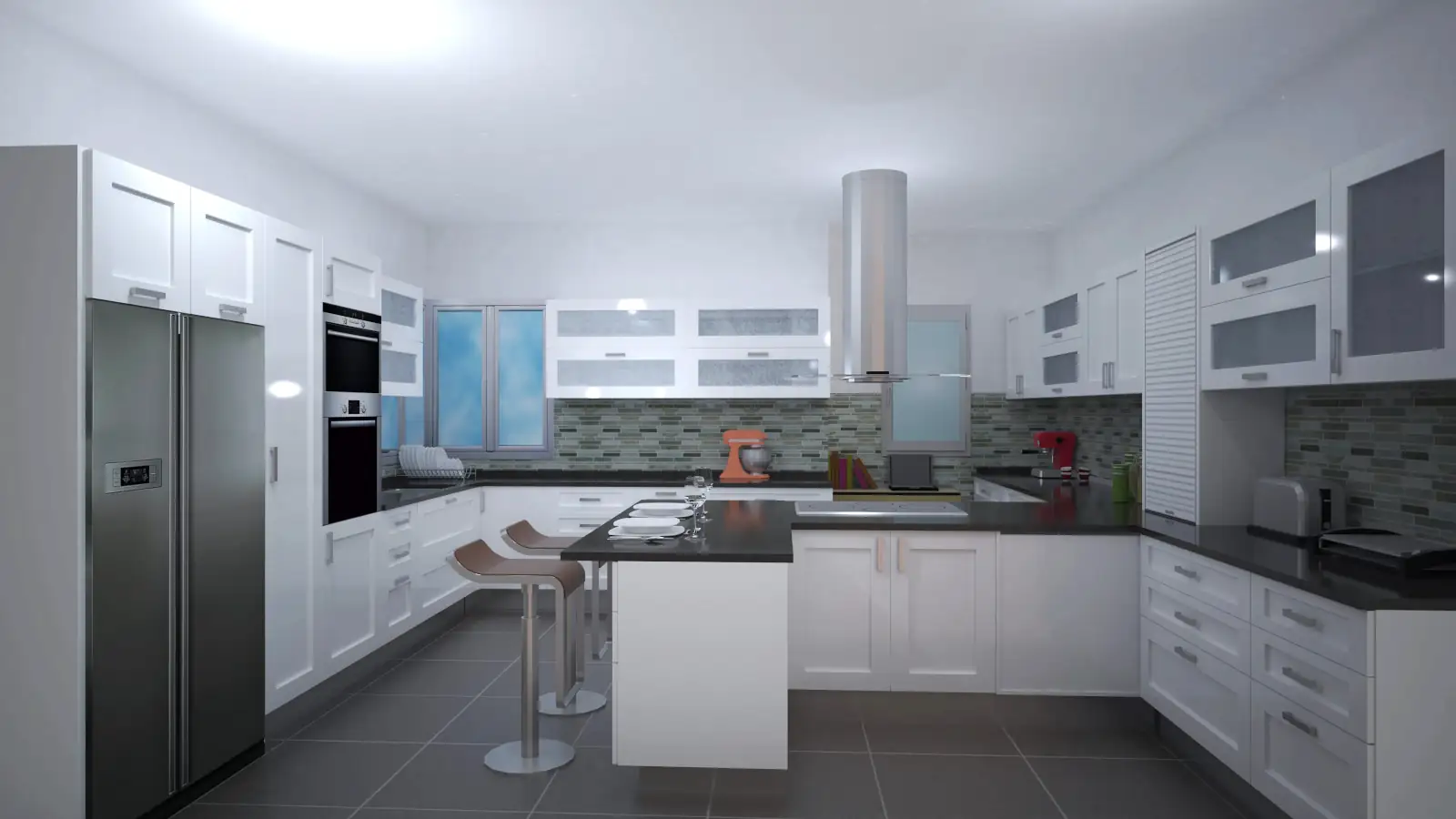
History of Quick3DPlan: Information about Quick3DPlan, Quick3DPlan DS, and Quick3DCloset
Quick3DPlan is a kitchen and bathroom design program developed by Microcad Software S.L. (www.microcadsoftware.com). The first version of this affordable kitchen design software was originally created in 2009, with Quick3DPlan 1.0. The program continued to be developed, releasing standalone versions at varying intervals (some versions were released within a year, while others took slightly more or less time to develop), from version 1.0 up to version 12, which was the last Quick3DPlan release with a ‘perpetual license’, launched in 2021.
In 2017, we launched Quick3DPlan DS (Desktop Subscription), a version based on the ‘subscription model’ of our Quick3DPlan program. This version requires a constant Internet connection to function, but in return, it is continuously updated as new improvements are developed. It is a “living” program, constantly evolving.
Both versions of Quick3DPlan—the ‘perpetual license‘ version and the DS version based on the ‘subscription model‘—coexisted for a few years. In 2021, we stopped developing the perpetual license version to focus solely on Quick3DPlan DS under the subscription model. From that point on, we simply call it Quick3DPlan, since there is now only one program. Therefore, Quick3DPlan and Quick3DPlan DS are the same program.
In 2022, we launched Quick3DCloset, our simpler and more affordable program for 2D/3D wardrobe design. Its philosophy is similar to Quick3DPlan DS, following a subscription-based model, but instead of focusing on kitchen and bathroom design, Quick3DCloset is more focused on designing wardrobes, walk-in closets, rooms, living rooms, bedrooms, and similar spaces.
Timeline of Quick3DPlan
🗓 Quick3DPlan 1.0 (2009)
- Universal catalog with over 3,000 customizable pieces of furniture.
- Furniture customization: dimensions, linear measurements, door models, handles, and knobs.
- Appliances and decorative elements to complete the design.
- Over 70 materials for furniture and countertops: wood, colors, granite, and artificial stone.
- Over 90 materials for floors and walls: tiles, mosaic, paint, parquet.
- 3D images of the design.
- Complete floor plans with automatically dimensioned walls and furniture.
- Selection of elements visible in plans: appliances, walls, dimensions, furniture.
- Furniture lists with descriptions and measurements of all elements in the design.
- Export of lists to Excel.
🗓 Quick3DPlan 2.0 (2010)
- Over 20 user-requested improvements.
- Greater control over finishes for furniture, doors, cornices, glass panels, moldings, baseboards, and countertops.
- More than 70 new materials: post-formed surfaces, colors, and woods.
- New catalog elements: sides, shelves with cornices, standalone countertops.
- More precise floor plans with the option to use fill colors.
- Improved accuracy for door and window placement, with automatic dimensioning in plans.
- New commands to replace or modify appliances, accessories, interior doors, and windows.
- New feature to add annotations to floor plans.
- Universal catalog with thousands of customizable furniture pieces (dimensions, linear measurements, door models, handles, and knobs).
- Ability to complete designs with appliances and decorative elements.
- Material selection: over 70 for furniture and countertops, more than 90 for floors and walls.
- 3D images with materials and lighting.
- Complete floor plans with automatically dimensioned walls and furniture.
- Choice of visible elements in plans: appliances, walls, dimensions, furniture.
- Furniture lists with descriptions and measurements of all design elements.
- Export of lists to Excel.
- Optional integration with Estimate to generate budgets automatically.
🗓 Quick3DPlan 3.0 (2011)
- Installation in cm (European catalog) or inches (American catalog).
- Automatic saving to prevent project loss.
- Higher quality 3D images.
- Quick access to commands:
- Spacebar to repeat the last command.
- Double-click to modify furniture, accessories, appliances, texts, or floor and wall materials.
- New catalog elements: curved furniture, decorative wooden hoods, freestanding gas kitchens.
- More precise 2D floor plans with the option to use fill colors for furniture, appliances, accessories, walls, and floors.
- New command to change materials of different parts of accessories (tables, chairs, plants, pots…).
- Integration with Quick3DPlan Mobile: draw the room on iPhone or iPad and continue designing on your computer.
- Universal catalog with thousands of customizable furniture pieces: dimensions, linear measurements, door models, knobs, finishes.
- Selection of over 3,000 pieces of furniture, 18 door models, and 12 handle and knob models.
- Ability to complete designs with appliances and decorative elements.
- More than 170 materials for furniture and countertops.
- Over 90 materials for floors and walls.
- 3D images with materials and lighting.
- Complete floor plans with automatically dimensioned walls and furniture.
- Selection of visible elements in plans: furniture, appliances, accessories, walls, dimensions of furniture and walls.
- Furniture lists with descriptions and measurements of all design elements.
- Export of lists to Excel.
- Optional integration with Estimate to generate budgets automatically.
🗓 Quick3DPlan 4.0 (2012)
- Advanced linear editing: cornice closure and light valance for wall cabinets, backsplash trim and plinth for base cabinets. Configuration of different countertop overhangs on the sides and rear.
- Design of open rooms and partitions:
- New internal walls or multi-segment partitions with control of length and position.
- Rectangular openings for partitions and exterior walls.
- Command to hide wall segments, making open kitchens easier.
- New interior doors (single and double leaf), sliding terrace doors, and window models with multiple panels.
- Annotations in 2D plans:
- Free lines with control of thickness, color, and arrows.
- Circle, square, rectangle, or polygon outlines of any size with optional fill.
- Language and units:
- Change of command and catalog language (English ↔ Spanish) from within the program.
- Choice of design units between cm or inches, switching the available catalog between European and American.
- Catalog expansion:
- New furniture, appliances (range hoods, sinks, faucets, ovens, cooktops), and accessories (sockets, switches, shelf brackets…).
- Universal European or American catalog with thousands of generic cabinets, door models, knobs, materials, accessories, and appliances.
- Furnishing:
- Design modification directly on the plan by moving furniture or double-clicking to edit or replace elements.
- Ease of use and high speed for precise furnishing.
- 2D and 3D images: immediate generation for project presentation.
- Item list: furniture, appliances, and accessories exportable to Excel or to the Estimate budgeting program (optional).
🗓 Quick3DPlan 5.0 (2014)
- New tabbed interface: groups options and reduces the number of clicks.
- Quick access to recent projects and automatic file saving.
- Print preview: option to add a logo, company name, and footer to plans and images.
- Architecture and wall editing:
- Change the height and thickness of walls and internal partitions.
- Move exterior walls.
- Center doors and windows on walls without calculating distances.
- Interference detection when moving furniture, appliances, and accessories near doors and windows.
- New dialog box to select the room shape.
- Option to move columns by entering the desired distance.
- Automatic insertion options for furniture:
- Corner cabinet adjusted to the wall angle.
- Island cabinet with distance control from walls.
- Cabinet centered on a wall, window, or relative to another cabinet/appliance, aligned with the front or back.
- Linear unit model: selection of cornice and light valance for the entire kitchen or a single cabinet; 6 new light valance models and 8 cornice models.
- Change of linear unit height: adjust plinth, cornice, light valance, backsplash trim, and countertops (3 cm or 6 cm thickness).
- 2D:
- Background color selection (cream or white) and solid colors for plan printing.
- Numbering of cabinets in the 2D plan linked to the cabinet list.
- Tool to measure the distance between two points.
- 3D:
- Improved image quality with dynamic shadows.
- Better visualization of doors, handles, and accessories.
- Real-time control of shadow intensity.
- Catalogs:
- New catalog in mm (same content as the cm catalog).
- Catalog in inches with American-style cabinets.
- Expanded furniture catalog: base cabinets, wall cabinets, tall units, end units with two doors and curved models, and extra-tall cabinets up to the ceiling.
- Expanded accessories catalog: tables, chairs, stools, glasses, wine glasses, and jars.
🗓 Quick3DPlan 6.0 (Marzo 2015)
- Compatibility: open projects from autokitchen® express 2 on iPad to complete them on the computer.
- Architecture:
- Command to automatically place cornices and baseboards on walls, with the option to change the material from the Photo tab.
- Application of material combinations in horizontal bands on walls.
- Improved show/hide walls command, preserving the state when saving and reopening projects.
- When inserting doors and windows, an icon bar allows changing the reference corner and defining distances from either corner.
- Furnishing:
- Preview with moldings shown as thumbnails.
- New option to extend the countertop to the wall.
- 2D:
- Quick switch between color mode and line plan with a single click.
- Countertop with configurable translucent color; traditional visualization maintained with filters.
- 3D:
- Improved wall and floor rendering for smoother lighting and shadows.
- All lights active by default, with the option to enable shadows for each light individually.
- Series and finishes:
- Knob and handle thumbnails in the series dialog.
- Uniform door material applied to drawers and tall cabinet doors.
- Glass doors (display cabinets, drawer units) rendered transparent with the option to place decorative accessories inside.
- Mullion display cabinets automatically adjust the number of panels according to size.
- Catalogs:
- New architectural door and window models.
- New materials for walls and floors.
- Gas and electric water heaters added to the appliance catalog.
🗓 Quick3DPlan 7.0 (Diciembre 2015)
- Catalogs: new library with more than 80 accessories for bedrooms, including beds, bunk beds, nightstands, shelving units, drawer units, chairs, tables, laptops, cushions, etc.
- Image editor: allows adjusting brightness, contrast, and saturation, as well as applying different filters.
- Wardrobes:
- New tool to design custom wardrobes and modular furniture.
- Selection of materials, moldings, system, and door models.
- Structure adjustment with modules and desired dimensions.
- Wardrobe interior design with drawers, shelves, dividers, and accessories.
- Insertion of the wardrobe into the room and completion of the design with the rest of the furniture.
🗓 Quick3DPlan 8.0 (2016)
- Architecture:
- Updated materials: tiles, bricks, colors, parquet flooring, etc.
- New option to delete previously created wall openings.
- Furnishing:
- Automatic insertion of furniture with up/down arrows to place one cabinet above or below another.
- Insertion of accessories with an up arrow to place them on top of other cabinets or appliances.
- New materials: woods, colors, fabrics, and granites.
- New models of sinks and higher-quality curtains/blinds.
- Countertop cutouts for round sinks, allowing countertops on narrow cabinets.
- 2D:
- Command to rotate previously inserted shapes.
- Option to delete dimension lines for furniture or architecture.
- Dimensioned elevation: automatic generation of the front view of a wall with dimensions; dimensions can be moved or deleted and the view can be printed.
- Shapes and countertops:
- Countertops with adjustable predefined shapes.
- Ability to move, rotate, change material, adjust thickness, and cut corners with chamfer or arc.
- Countertop cutouts in arc or chamfer shapes.
- Customization: adjust cabinet dimensions in the catalog.
- Rendering and materials: activation of 10 lights evenly distributed in the scene.
- Image editor: new oil-paint filter.
- Other:
- Option to lock cabinets, accessories, and appliances to prevent accidental movement.
- Context menu with right-click on cabinets, appliances, and accessories: edit, delete, move.
🗓 Quick3DPlan 9.0 (2017)
- 3D Images:
- Adjustment of all light intensities globally in %.
- Improved quality of cabinet door models for more detailed renders.
- Furniture:
- Ability to copy materials, door model, and handle from one cabinet to another.
- Introduction of GOLA cabinets as a series adaptable to any design.
- New cabinet catalog with face frame for traditional kitchens.
- Auto-furnishing: improvements to the step-by-step assistant for automatic insertion of rooms, doors, windows, furniture, and appliances, with configurable rules.
- Sinks and appliances:
- New under-counter sink models.
- Thumbnail preview of all appliances for easier selection.
- 2D Plans:
- New top-down view with lines for printing dimensioned plans.
- Insertion of dimensions with actual measurements or custom values.
- Improved quality of dimensioned elevations.
- Moldings:
- New dialog to change the model of countertops, baseboards, backsplash trim, cornices, and light valances for all cabinets or individually.
- Option to adjust measurements and remove unwanted moldings.
🗓 Quick3DPlan DS (2017)
- Subscription model: accessed via online license, requires an Internet connection.
- Includes all features of Quick3DPlan from version 1.0 to 9.0, such as:
- Kitchen design in 2D and 3D with dimensioned plans and exportable item lists to Excel.
- Universal catalog with thousands of cabinets, appliances, and materials.
- 3D rendering with lights and shadows, improved doors and materials.
- Auto-furnishing tools and dimensioned elevations.
- Multi-window 3D views and enhancements for wardrobes and GOLA cabinets.
- Advantages of the DS model:
- Automatic updates and access to the platform from any Internet-connected computer, always maintaining the latest version.
- With the subscription model and a new protection method, the issue of license deactivations is eliminated.
- Quick3DPlan DS is compatible with both Windows and Mac.
- The program is continuously updated as new improvements and features are developed.
- Can be installed on multiple computers and used on whichever is convenient at any time.
- New, much more advanced rendering engine.
- Extensive catalog of cabinets, appliances, and accessories, including GOLA-style furniture.
- New catalog for designing “Bathrooms”.
- Compatible with SketchUp.
🗓 Quick3DPlan 10 (2018)
- Photorealistic images:
- New rendering engine with reflection control for greater realism.
- Image resolution up to 8K (7608×4320).
- Three adjustable quality levels (higher quality requires longer calculation time).
- Adjustment of all lights with a single click.
- Elimination of breaks in sloped lines.
- Automatic ceiling generation for the room.
- Separate reflection adjustment for floor, walls, countertops, and doors.
- Option to use full processor power or free resources for other programs.
- Render configuration window and list of all renders performed with their details.
- 3D Views:
- Design visualization in multiple windows (2 to 4) with different perspectives.
- Option to print the window composition.
- Inclusion of new GOLA cabinets.
- 2D Plans:
- New window to insert text, adjusting size, thickness, and border.
- Ability to place text anywhere in the design.
- Wardrobes:
- Context menu with right-click on wardrobes: edit, move, rotate, delete.
- Automatic updates: program updates at startup if an Internet connection is available.
- Other
- Undo function (Ctrl + Z) to revert movements or actions.
🗓 Quick3DPlan 11 (2020)
- Bathrooms:
- New catalogs and tools for bathroom design.
- Access to over 130 elements: mirrors, shower enclosures, showers, bathtubs, toilets, faucets, accessories, etc.
- Thumbnails for all elements for easy selection.
- New category in the kitchen catalog with bathroom cabinets of different heights and inset sinks.
- New small window models for bathrooms.
- Quick button to Add bathroom accessories.
- Materials:
- Updated materials with new pastel shades, parquet floors, and new options from Silestone, Dekton, and Egger:
- 9 new parquet floors
- 18 new basic colors
- 9 new Dekton countertops
- 16 new Silestone countertops
- 40 new Egger laminates
- Updated materials with new pastel shades, parquet floors, and new options from Silestone, Dekton, and Egger:
- Photorealistic images:
- Rendering with reflection control for increased realism.
- Resolution up to 8K (7608×4320).
- Three adjustable quality levels.
- Adjustment of all lights with a single click.
- Elimination of breaks in sloped lines.
- Automatic ceiling generation.
- Separate reflection adjustment for floor, walls, countertops, and doors.
- Option to use full processor power or free resources for other programs.
- Render configuration window and list of all renders performed.
- 3D Views:
- Visualization in multiple windows (2 to 4) with different perspectives.
- Option to print the window composition.
- Inclusion of new GOLA cabinets.
- Wardrobes:
- Context menu with right-click: edit, move, rotate, delete.
- Automatic updates: program updates at startup if an Internet connection is available.
🗓 Quick3DPlan 12 (2021)
- New interface:
- Modernized icons for a clearer and more intuitive look.
- Makes it easier to find options and understand how the program works.
- Change appliance materials:
- New option to modify the material of range hoods, sinks, cooktops, standalone stoves, faucets, washbasins, and water heaters.
- New appliances:
- Over 70 new models: 14 range hoods, 18 faucets, 19 ovens, and 8 microwaves.
- New accessories:
- More than 30 new accessories added to enrich designs.
- New materials:
- Pastel shades in basic colors, new wall coverings, tiles, and wood finishes.
- Updates from Silestone, Dekton, and Egger:
- 30 new types of wall and floor coverings
- New Silestone options
- 80 new Dekton surfaces
- Egger laminates with over 300 finishes
- More than 80 new colors with a variety of shades
- Over 440 new wood finishes
- 39 new tiles with fine grout for large formats
🗓 Quick3DCloset (2022)
- Subscription model:
- Monthly payment (from US$ 39,00/month), with support and access to manuals and videos for the duration of the subscription.
- Works on multiple computers, requires an Internet connection.
- Automatic updates included during the subscription.
- Wardrobe design:
- Architecture: Draw the room with doors, windows, partitions, and columns; wall and floor finishes configurable at any time.
- Templates: Select wardrobe type and door-opening system, with or without a baseboard.
- Model: Select doors, moldings, interior finishes, sides, and materials.
- Doors and openings: Automatic calculation of usable wardrobe width, number of doors, and panel distribution; independent adjustments possible.
- Structure: Configure upper cabinets, modules, and adaptation to obstacles (columns, openings).
- Distribution: Precise placement of shelves, drawers, hanging rods, and dividers; guided movements following manufacturer specifications.
- Budgeting: Automatic generation based on materials, dimensions, and accessories, with calculation per square meter, linear meter, or unit.
- Plans and 3D views:
- Photorealistic images of the wardrobe with or without doors.
- Fully dimensioned floor and elevation plans, showing openings, shelf and drawer heights, rod elevations, and interferences with doors and moldings.
- Interactive 3D navigation to display finishes and facilitate client presentations.
- Catalog:
- Multiple models of doors, drawers, dividers, shelves, and accessories.
- Templates for different wardrobe types (with or without sides, back, or baseboard).
- Ability to modify structure, moldings, doors, and room decoration parameters.
- Speed, precision, and ease of use:
- Intuitive and agile environment to reduce learning time.
- Placement of elements and dimensions with maximum accuracy.
- Instant modifications visible on screen.