
Skip to main content
-
Quick3DPlan
-
-
- Quick3DPlan Registration Form
- Limitations of the ‘Demo’ version of Quick3DPlan and Quick3DCloset
- Tips to download the installer correctly
- How to buy the Quick3DPlan or Quick3DCloset subscription
- How to reset the password in Quick3DPlan or Quick3DCloset
- How to check my program's version
- How to recover a project when the software was closed unexpectedly
- How to download Quick3DPlan for Mac again from the Mac App Store
- Quick3DPlan Studio
- How to transfer the license to another computer (*Quick3DPlan 12 and earlier)
- History of Quick3DPlan: Information about Quick3DPlan, Quick3DPlan DS, and Quick3DCloset
- How to find out which version of Quick3DPlan you have installed
- How do I update an older version of Quick3DPlan to the latest version, and what is the price?
- How to download an older version of Quick3DPlan
- Where to get the download link for Quick3DPlan or Quick3DCloset and how to download the program
- How does the technical support for Quick3DPlan and Quick3DCloset work?
- Mostrar artículos restantes (1) Contraer artículos
-
- ERROR: SetupNew\setup.cpp (140)
- ERROR: File System 0004. : c:\Quick3Dplan/???.dll : curpath=C:/Quick3Dplan
- Feature transfer error
- Runtime Error!
- Error message: “The application has failed to start because its side-by-side configuration is incorrect”
- Error message: “The requested operation requires elevation”
- Error message: “This app can't run on your PC”
- Possible reasons why Quick3DPlan or Quick3DCloset are not working or will not start
- Windows® 11 error message: “Windows Security – Part of this app has been blocked”
- Error message: “Quick3DPlan DS cannot be installed on ‘Macintosh HD’ because macOS 14.2 or later is required.”
- Render Error: "Something went wrong. Nothing rendered."
- Issue when saving and opening projects on the Windows® Desktop caused by having multiple user accounts
-
- How to set up the “3D image detail” level
- How to customize catalog measures in Quick3DPlan
- How to insert your company logo to the impressions
- How to print a “3-view window” of the design
- How to print a photorealistic image or render in Quick3DPlan or Quick3DCloset
- How to print plans and sketches in PDF to be able to send them by e-mail to your clients
- How to print a dimensioned front elevation
- How to correctly print a kitchen plan while making the most of the print margins
- How to add a SketchUp object in Quick3DPlan or Quick3DCloset
-
- How to place a cabinet in a non 90º angle corner
- How to place cabinets, countertops and upstands in a corner with a pillar
- How to simulate a ceiling
- How to fill up a small gap between a cabinet and a non-perpendicular wall
- How to make a wall with different backsplashes
- How to put 2 materials on the floor of the room
- How to create beams in the architecture
- How to shorten a previously inserted partition wall
- How to move a wall to increase room size
-
- How to place a cabinet in a non 90º angle corner
- How to place cabinets, countertops and upstands in a corner with a pillar
- How to fill up a small gap between a cabinet and a non-perpendicular wall
- How to apply GOLA type handles to a selected door
- How to erase the handles
- How to insert an L-shape corner with a different door width
- How to make a peninsula or island in the middle of the kitchen with a “breakfast bar”
- How to place a 35-cm folding door cabinet above a refrigerator
- How to place a 60-cm high fridge under a worktop
- How to set the number of drawers in a unit
- How to insert a blind corner for a sink
- How to place 2 rows of wall units with different depths
- How to place a tall cabinet with doors at the top and bottom, and 2 shelves in the center
- How to place a sink unit with drawers instead of doors
- How to put a worktop on top of a dishwasher or washing machine
- How to remove cornices and light pelmets from wall cabinets
- How to extend a cabinet’s countertop to make a “breakfast bar”
- How to adjust the sides to align them with the door
- How to add a plinth to cover the legs of a cabinet
- How to put a “ceiling scribe” cornice
- How to place backsplashes between base and wall units
- How to place a side panel made of the same material as the countertop to create a “waterfall countertop”
- How to insert a corner unit with an upstand in just one side only
- How to add/install “undermount sinks”
- How to change the installation height of appliances in oven and microwave tall cabinets
- How to place a sink in a corner base cabinet
- How to install a plinth in the gap between two cabinets
- Mostrar artículos restantes (12) Contraer artículos
-
- How to adjust the “Closets module” window to be able to see the lower buttons (in the case they are not visible)
- How to hide the closet doors to see the interior in Quick3DPlan
- How to place a vertical divider that fits in a selected space in Quick3DPlan
- How to reduce the depth of one of the modules to adapt it to a pillar in Quick3DPlan
- How to “simulate” an L-shaped closet, a closet with 2 fronts, or a corner closet in Quick3DPlan
- How to make a “built-in closet” in Quick3DPlan
- How to change the number of modules in cabinets with sliding and swing doors in Quick3DPlan
- How to create “hanging closets” in Quick3DPlan
-
- How to use perspectives in Quick3DPlan or Quick3DCloset
- How to use the option to create photorealistic images or “Renders”
- How to activate the “image history” in the Render window
- How the lights work and how to configure them correctly
- How to show elevations of furniture in narrow kitchens
- How to save a picture of a kitchen dimensioned elevation
- How to change the door, baseboard and worktop colour and material
- How to place a side panel made of the same material as the countertop to create a “waterfall countertop”
-
-
-
Quick3DCloset
-
- Basic Quick3DCloset Course
- 1. Drawing the architecture in Quick3DCloset
- 2. Create a closet #1: Catalogs, Doors, and Structure
- 3. Create closet #2: Element distribution and pricing
- 4. Changing materials in Quick3DCloset
- 5. Views and perspectives, and hiding closet doors in Quick3DCloset
- 6. Lights and render in Quick3DCloset
-
-
- Quick3DCloset Registration Form
- Limitations of the ‘Demo’ version of Quick3DPlan and Quick3DCloset
- Tips to download the installer correctly
- How to buy the Quick3DPlan or Quick3DCloset subscription
- How to reset the password in Quick3DPlan or Quick3DCloset
- How to check my program's version
- How to recover a project when the software was closed unexpectedly
- History of Quick3DPlan: Information about Quick3DPlan, Quick3DPlan DS, and Quick3DCloset
- Where to get the download link for Quick3DPlan or Quick3DCloset and how to download the program
- How does the technical support for Quick3DPlan and Quick3DCloset work?
-
- ERROR: SetupNew\setup.cpp (140)
- ERROR: File System 0004. : c:\Quick3DCloset/???.dll : curpath=C:/Quick3DCloset
- Feature transfer error
- Runtime Error!
- Error message: “The application has failed to start because its side-by-side configuration is incorrect”
- Error message: “The requested operation requires elevation”
- Error message: “This app can't run on your PC”
- Possible reasons why Quick3DPlan or Quick3DCloset are not working or will not start
- Windows® 11 error message: “Windows Security – Part of this app has been blocked”
- Render Error: "Something went wrong. Nothing rendered."
- Issue when saving and opening projects on the Windows® Desktop caused by having multiple user accounts
-
- How to set up the “3D image detail” level
- How to insert your company logo to the impressions
- How to print a “3-view window” of the design
- How to print a photorealistic image or render in Quick3DPlan or Quick3DCloset
- How to print plans and sketches in PDF to be able to send them by e-mail to your clients
- How to add a SketchUp object in Quick3DPlan or Quick3DCloset
-
- How to change the accessories material
- How to hide the closet doors to see the interior in Quick3DCloset
- How to place a vertical divider that fits in a selected space in Quick3DCloset
- How to create a pocket to adapt the closet to a pillar in Quick3DCloset
- How to “simulate” an L-shaped closet, a closet with 2 fronts, or a corner closet in Quick3DCloset
- How to make a “built-in closet” in Quick3DCloset
- How to create “hanging closets” in Quick3DCloset
- How to save a closet in Quick3DCloset so you can retrieve it later
- How to save the objects inserted in a closet module as a template for use in future Quick3DCloset projects
- How to configure a closet with a single side panel and a single shelf by modifying their depth
-
-
Published
Updated
ByMicrocad Software

How to configure a closet with a single side panel and a single shelf by modifying their depth
Quick3DCloset includes a collection of predefined templates. Unfortunately, it does not yet include a single-side panel template. However, it is possible to modify another template to create custom configurations. To do this, follow these steps:
Select base template
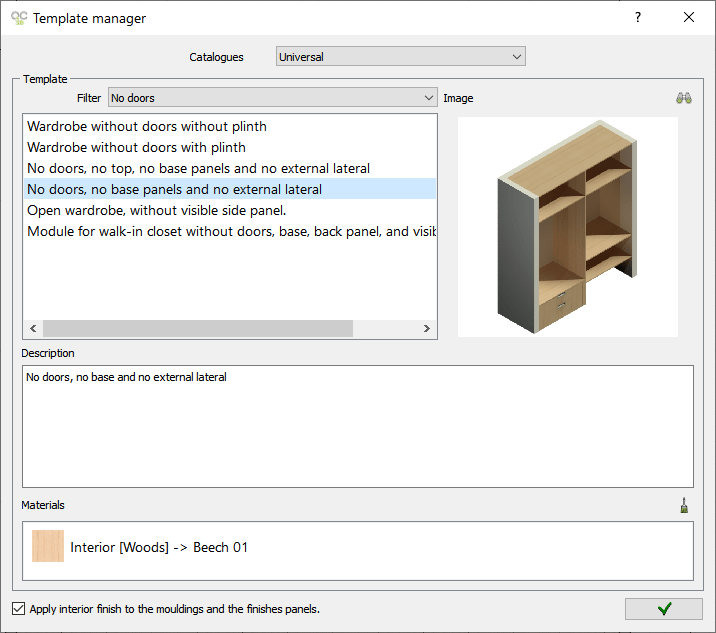
- Start by selecting a template without side panels. For this example, we will use the following template: “No doors, no base panels and no external lateral”.
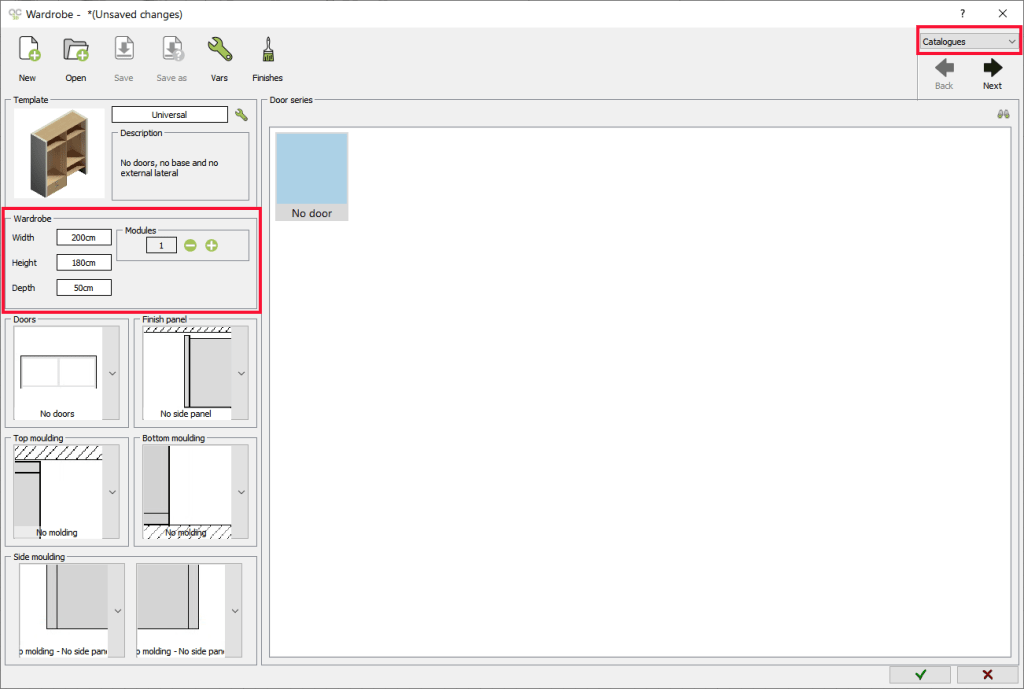
- In the ‘Catalogues‘ tab, configure:
- Set the Width, Height, and Depth according to your needs.
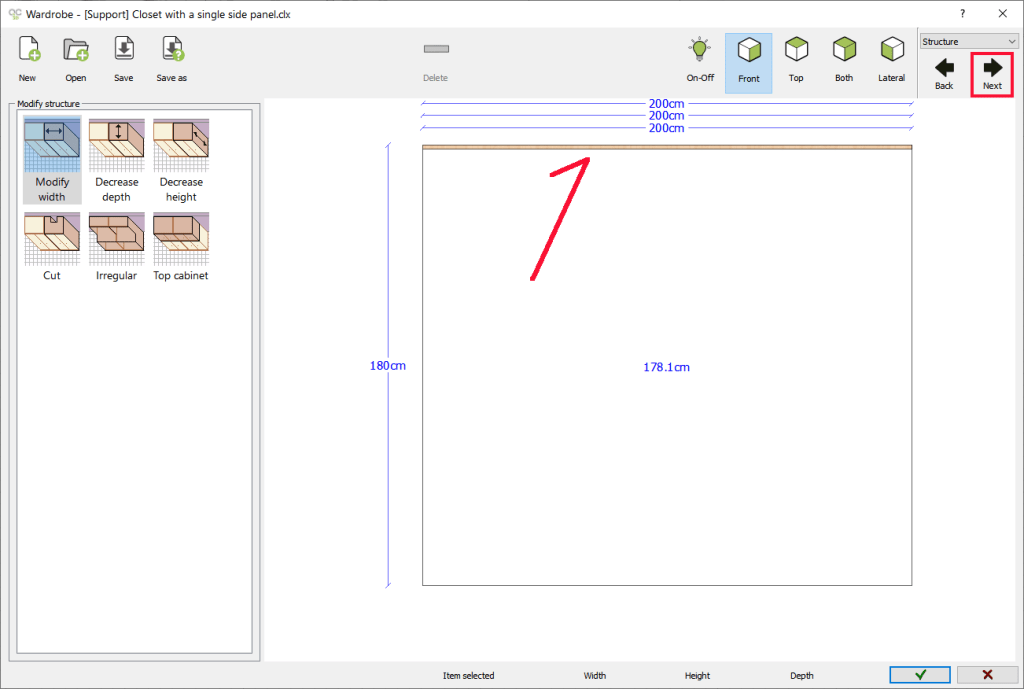
- In Modules: 1

- When you move on to the next design stage, you should only see the upper part of the closet.

Insert the left side panel
- In the ‘Distribution‘ stage, configure this:
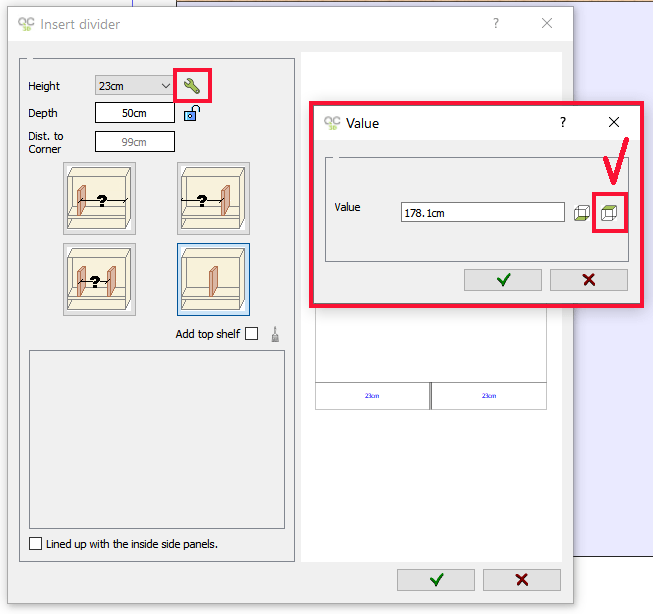
- Select Dividers and strips to add a divider that will act as a side panel.
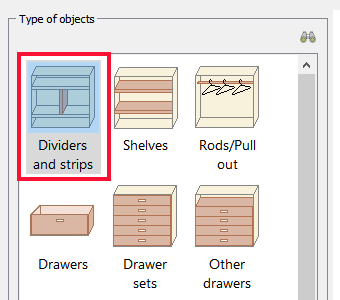
- Double-click in the gap to place the divider.
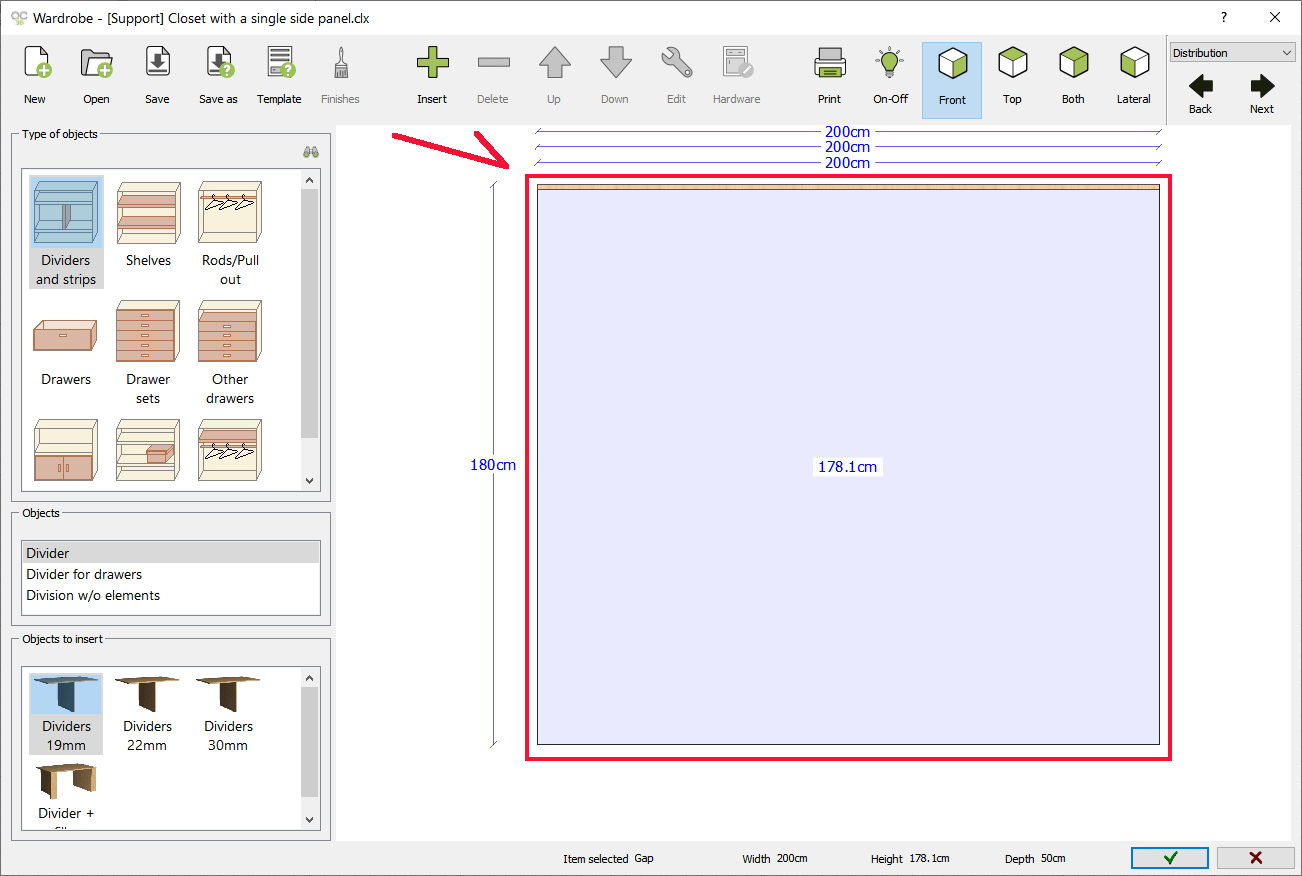
- Disable the ‘Add top shelf’ option.
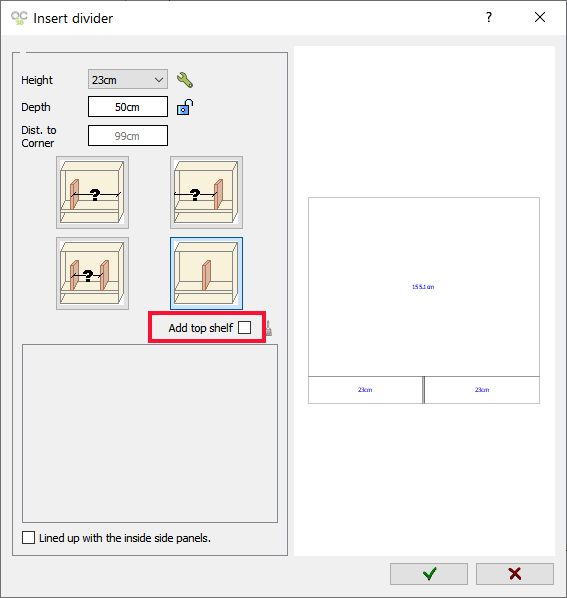
- Select Dividers and strips to add a divider that will act as a side panel.


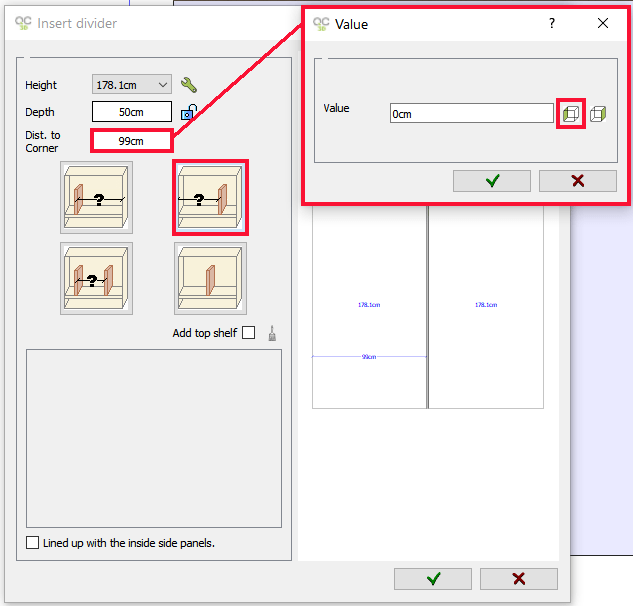
- Click the icon


- Use the options
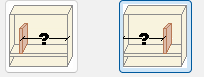


✅ (NOTE: You can add as many dividers as you want to create subdivisions within a module.)
Insert the shelf
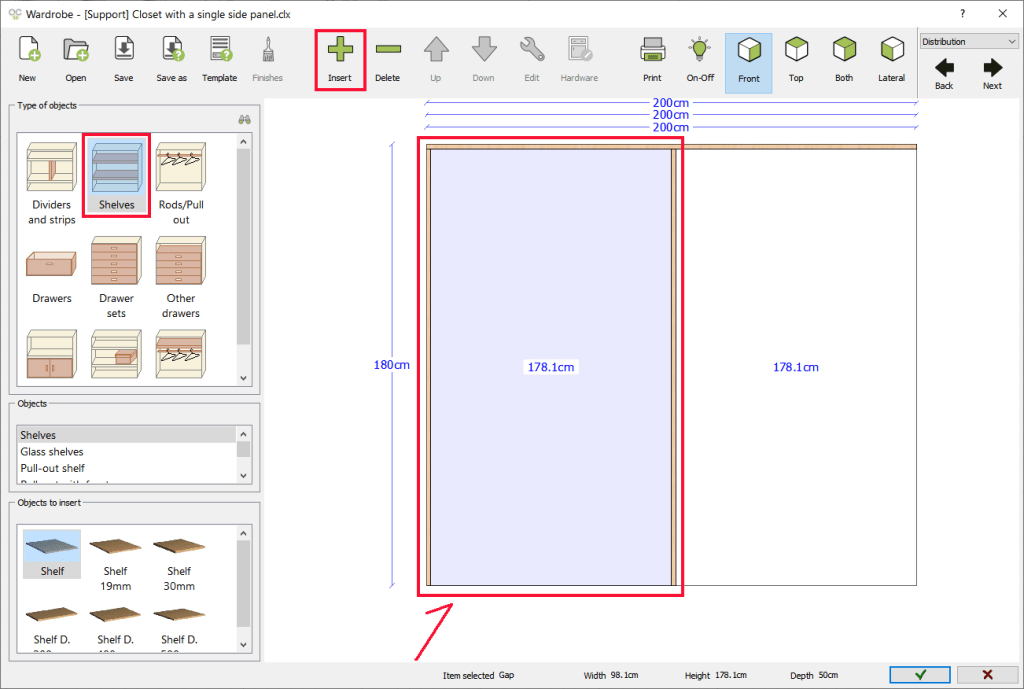
- To add shelves, use the Shelves option. Click the Insert button in the top toolbar or double-click the space where you want to place the element.

Modify the elements’ depth
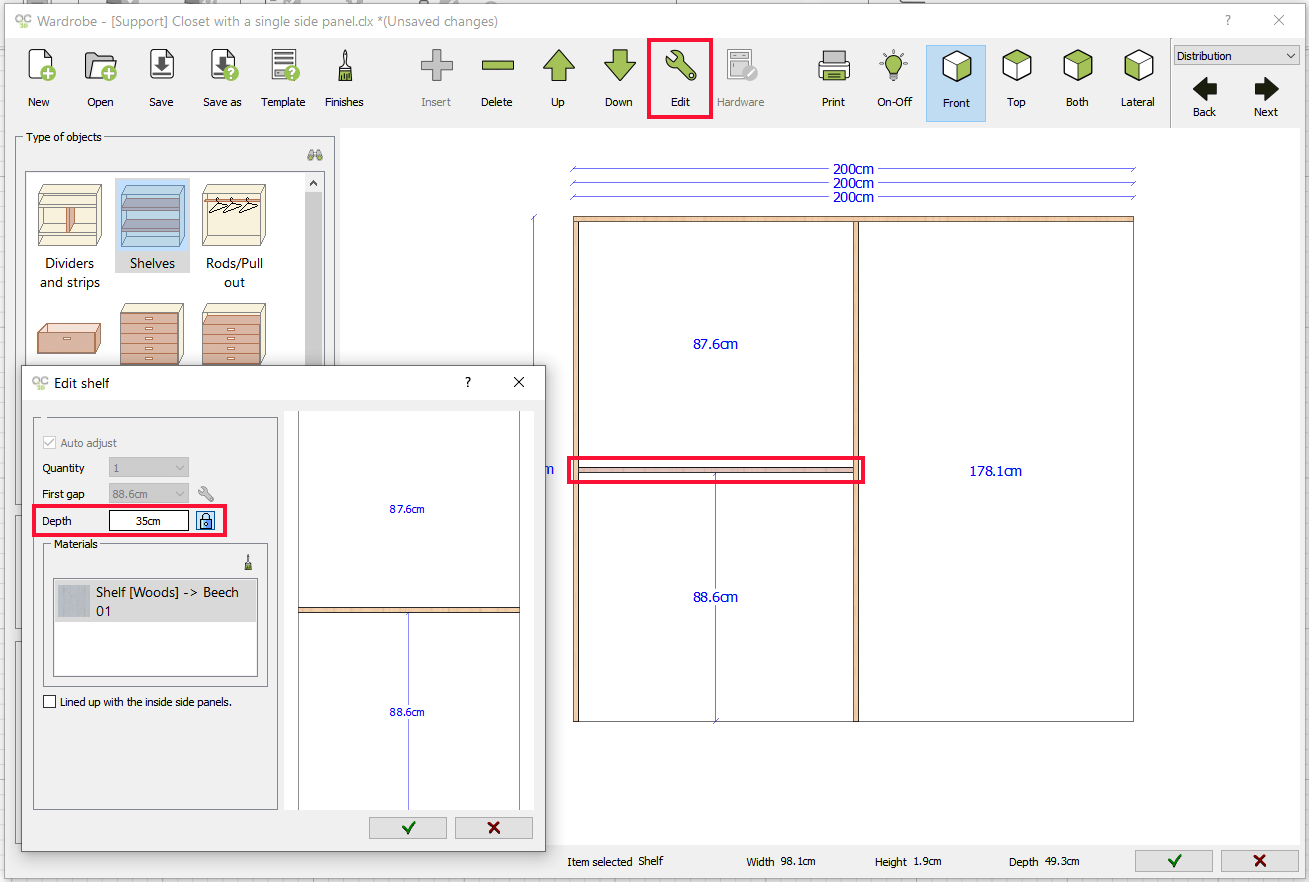
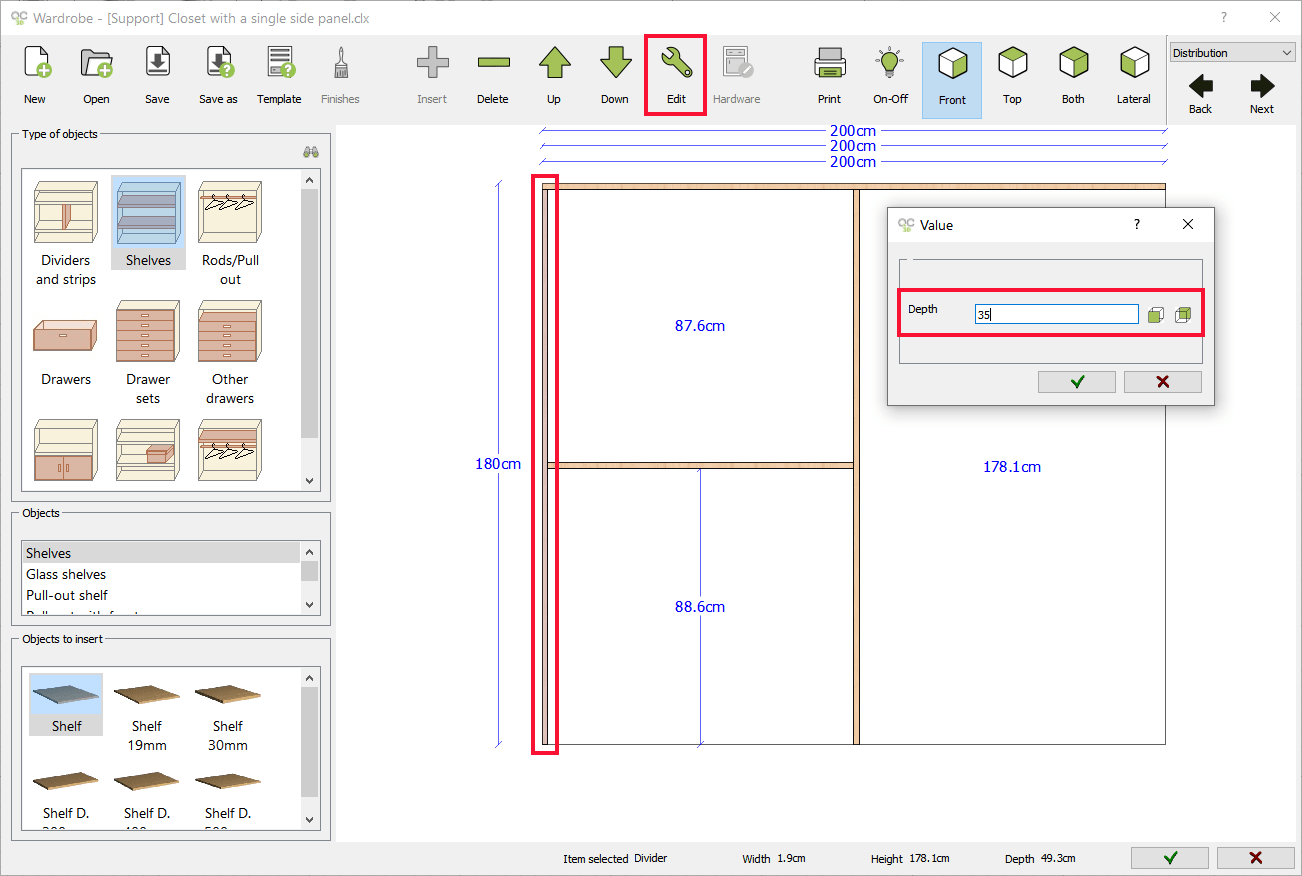
- When you define the wardrobe configuration this way, you can change the depth of any element by double-clicking on it or by selecting it and using the Edit option.
- On the one hand, we modify the depth of the shelf:
- And on the other hand, we modify the depth of the side panel divider:
- On the one hand, we modify the depth of the shelf:
Final result
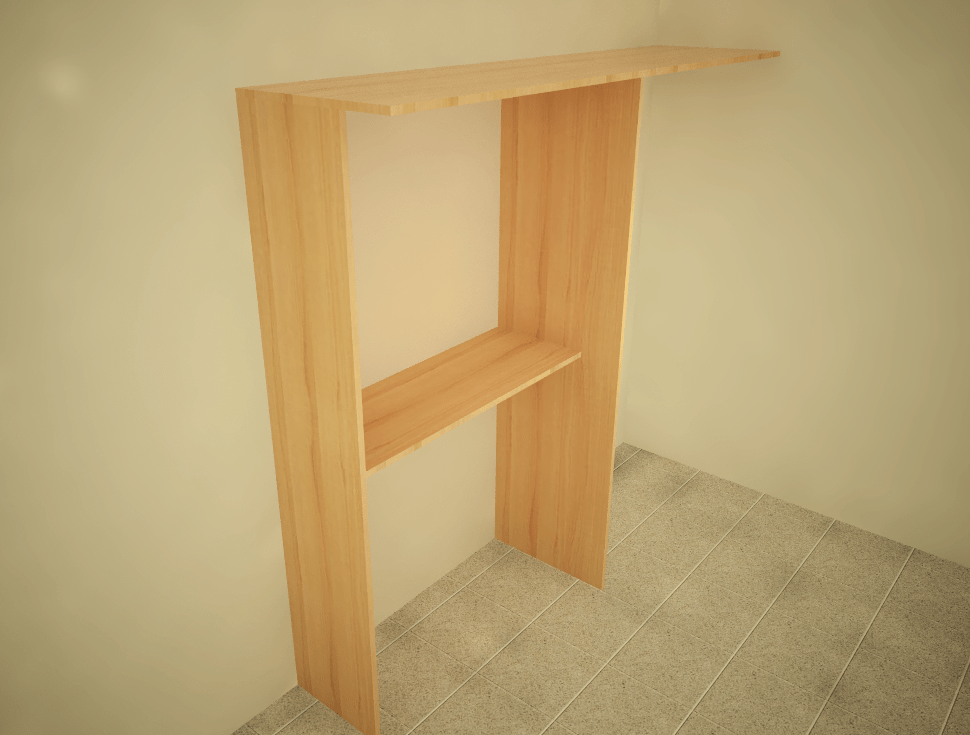
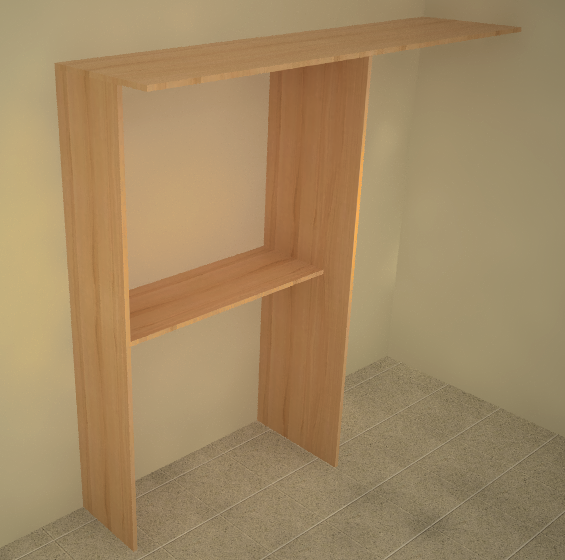
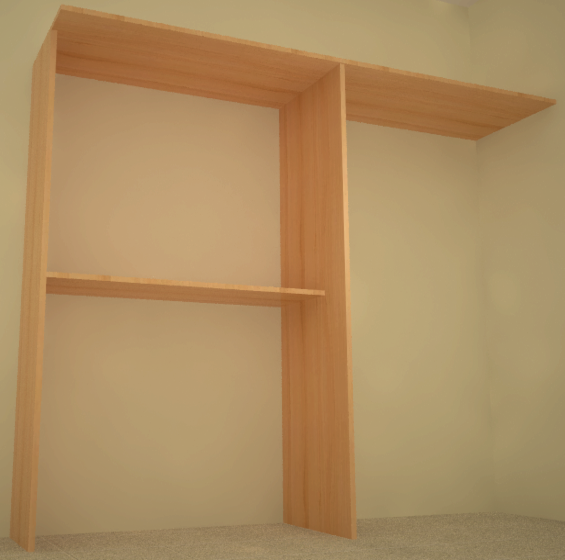
And this would be the result:


Table of contents